

If you're searching for the Ice Fishing Game Download, the first thing to know is that mobile availability can vary by region, store listing, and device type. Many players also look for an Ice Fishing App because they want quick access on Android without relying on a desktop browser. This page explains what the app is supposed to offer, how APK access works, and what to check before installing anything. It is written for readers who want practical guidance, not hype.
You will also see the terms Ice Fishing App Download, Ice Fishing Game App, and APK-related phrases used in different contexts, because people often search in different ways for the same product. That can make it confusing to tell whether you are looking at an official release, a shortcut, or a third-party package. The sections below break down installation, features, compatibility, and mobile access in plain English. If you're comparing options, this guide should help you make a safer decision.
50 Free Spins + 100% Match
Spin for free and get your deposit matched instantly
Get Bonus
Ice Fishing App Download for Android and APK Installation
On Android, the difference between a store-based install and a manual package often matters more than the game itself. If you are checking the Ice Fishing Game Apk, confirm whether the file comes from the publisher or from a review page that only describes it. A clean Ice Fishing App Download usually starts with device compatibility, storage space, and a source you can verify. That keeps the process simple and lowers the chance of broken installs.
Some users search for the Ice Fishing Game Download because they expect a direct install button, while others are comfortable sideloading an APK. Either way, the important part is knowing what the file should do after you open it. An Ice Fishing Casino App listing may also include mobile shortcuts or web-based launch options instead of a true Android package. Reading the instructions before you tap install saves time later.
How do you install the app safely on Android?
Start by checking the source name, file size, and version details before you open the Ice Fishing App package. If the listing looks vague or the filename changes from page to page, that is a warning sign rather than a convenience. Android will usually ask for permission to install from an unknown source, and you should enable that only for the browser or file manager you are using. After installation, open the app and confirm that the icons, menus, and game title match the page you downloaded from.
If you are following an Ice Fishing App Download guide, keep your phone unlocked only long enough to finish the setup. Once the app is installed, you can disable sideloading permission again for extra control. This small habit is useful for any Ice Fishing Game App or similar mobile title, because it limits accidental installs from unrelated files. It also makes troubleshooting easier if you later need to repeat the process.
What should you check before tapping install?
Before installation, scan the app details for version number, package name, and permission requests that make sense for a game. A legitimate Ice Fishing App should not ask for unrelated access, and it should explain why it needs storage or network permissions. If you see a mismatch between the page title and the package name, pause and compare the information again. That extra minute can save you from a corrupted Ice Fishing Game Apk.
You should also check whether your Android version is supported and whether the file is meant for phones or tablets. Some Ice Fishing App Download pages bundle extra assets that increase the file size, which is normal, but huge files without an explanation deserve caution. When the description is clear, you can usually tell whether the Ice Fishing Game Download is a proper installer or just a shortcut to a web experience. That distinction matters for updates and offline behavior.
How do you fix a failed APK install?
The most common fix is to verify that the file downloaded completely and was not renamed by your browser. If an Ice Fishing Game Apk stops halfway or refuses to open, the package may be incomplete, blocked by battery optimization, or incompatible with your Android version. Clear the broken file, restart the phone, and try again from a fresh download source. Most install errors are boring technical issues, not proof that the Ice Fishing App Download is impossible.
If the device still rejects the app, look at storage, security settings, and whether another file manager is interfering. Sometimes a second copy of the same Ice Fishing App is already installed, and Android blocks a duplicate package. In that case, uninstall the older version first and then retry the Ice Fishing Game Download process. Keeping the phone updated also reduces strange permission conflicts.
A simple Android install usually follows the same order, whether you are opening a store listing or testing an Ice Fishing Game Download package.
- Check that your phone has enough free storage and a stable connection before starting the Ice Fishing Game Apk installation.
- Download the file only from a source you can identify, then review the file name and size before tapping it.
- Allow installs from the browser or file manager that triggered the prompt, not from every app on the device.
- Open the app, confirm the title and menus, and remove the install permission once setup is complete.
These steps are basic, but they prevent most of the common Android problems people blame on the game itself.
Ice Fishing Game App Features, Modes, and User Experience
Once the app opens, the first thing most players notice is whether the controls feel natural on a small screen. A good Ice Fishing Game App should make the fishing action readable, responsive, and easy to restart if you miss a catch. The mobile version matters because the pace of the game is tied to touch input and screen clarity. If the interface feels crowded, that usually shows up within the first minute.
Players who compare the Ice Fishing Game Download with a browser version often care about loading speed, menu layout, and session length. Some builds are designed for quick play, while others include extra features that make the app feel busier. The Ice Fishing App experience is usually best when icons are clear and the game rules are easy to reach from the main screen. That is why design choices matter as much as the theme.
What makes the controls feel smooth on mobile?
Touch controls feel smoother when the hit area is large enough for thumbs and the response comes right after you tap. In an Ice Fishing App, delay between input and animation can make the game feel less precise even if the rules are simple. Good spacing around buttons also prevents accidental taps when the phone is held in one hand. Small details like that matter more on a mobile screen than they do on desktop.
If the Ice Fishing Game App supports landscape mode, the layout should still keep the important action in the center. Players usually prefer a visible score area, a clear start button, and simple instructions that do not cover the playfield. When a build is well optimized, the fish, lines, and bonus effects remain readable without zooming. That makes short sessions easier to enjoy.
Which modes are easiest for new players?
New players usually do better with a basic mode that introduces the fishing mechanic before any extra effects appear. In a Ice Fishing Casino App or game app with multiple layers, the easiest path is often the one with the fewest rules on screen. That lets you learn timing and pacing first, instead of trying to read every bonus description at once. A clean starting mode also makes the Ice Fishing App Download feel less intimidating.
After a few rounds, players can move to higher-variation modes if the app includes them. The Ice Fishing Game Download is more enjoyable when the beginner path is clear and the transition to advanced play is obvious. Good mobile design gives each mode a distinct label, so you do not have to guess what changed. That reduces frustration and keeps the experience approachable.
What user experience details matter most?
Screen readability is usually the biggest factor because small text can ruin a session faster than a slow animation. A polished Ice Fishing Game App should use contrast well, keep menus short, and avoid hiding critical information behind too many taps. Sound is another piece of the experience, especially if effects are used to signal catches or bonuses. Players often notice these details before they think about game math.
Battery use and stability also affect the Ice Fishing App experience on Android. If the app drains power too quickly or crashes after a few rounds, it feels less reliable even when the theme is appealing. That is why many readers compare the Ice Fishing App Download notes with user feedback before they decide to install. A smooth interface and steady performance usually matter more than flashy graphics.
A few quick habits can make any Ice Fishing Game App feel better on a phone.
- Rotate the phone or use landscape mode if the playfield looks cramped.
- Lower background app activity so the Ice Fishing App gets more memory and fewer interruptions.
- Keep screen brightness and sound at comfortable levels for longer sessions.
- Restart the device if the Ice Fishing Game Download starts feeling sluggish after repeated play.
These small adjustments do not change the game itself, but they can improve how it feels from the first tap.
- Touch controls
- Tap-friendly buttons and short response times
- Mode selection
- Separate beginner and advanced play options
- Visual clarity
- Readable text, contrast, and clean menus
- Battery impact
- How fast the app drains power
Ice Fishing Game Apk and Ice Fishing Evolution Apk Access
Searches for Ice Fishing Game Apk and Ice Fishing Evolution Apk usually mean the user wants a direct package rather than a store listing. That can be useful when a region blocks access or when the app is distributed outside a marketplace. The trade-off is that APK files need more checking before installation, because the phone will not protect you in the same way a store does. The safest approach is to compare the package name, version, and publisher details first.
The terms Ice Fishing Apk and Icefishing Game Apk are often used casually, but they may point to different pages or builds. Some people even search for Icefishing Evolution Apk when they really want a mobile version that mirrors the main game rather than a separate product. If the publisher offers multiple builds, update speed and file size can differ between them. That is why reading the release notes matters.
What is the difference between the APK names?
A file labeled Ice Fishing Apk may be the standard Android package, while Ice Fishing Evolution Apk suggests a variant or a newer branch of the same mobile release. The naming is important because the package name, version code, and supported device range can change from one build to another. If the app is only a shortcut or web wrapper, the experience will feel very different from a full install. Checking the label is the easiest way to avoid confusion.
People sometimes search for Icefishing Game Download and Icefishing Game App together because they are not sure which version is current. That is normal, especially when promotional pages use slightly different spelling. The practical move is to compare the Android requirements and the update date before you install anything. If the details are missing, treat that as a reason to slow down.
When should you avoid sideloading?
Avoid sideloading when the source cannot explain who published the file or why it was updated. A suspicious Ice Fishing Game Apk may ask for broad permissions without showing any game information first. If the listing feels copied or the description is full of generic claims, the risk is higher than the convenience. In that case, waiting for a clearer Ice Fishing App Download page is the better move.
You should also be cautious if your device already reports a security issue or if a previous build failed repeatedly. The Ice Fishing App itself may be fine, but a damaged package can still cause problems with notifications, storage, or account sign-in. When something feels inconsistent, removing the file and starting over is safer than forcing the install. That is especially true for APKs shared outside official channels.
How do updates work for APK builds?
APK updates usually require you to install a newer package manually unless the app has its own updater. For an Ice Fishing Game Download, that means the file you installed today may not refresh automatically tomorrow. Good release notes should tell you whether the new build fixes bugs, adds content, or simply changes the version number. Without that information, it is hard to know whether you should replace the old file.
If you use Icefishing Game Apk releases, keep the old version only if the publisher recommends it for compatibility. Some updates change resource files or permissions, and that can make older phones behave differently after installation. Comparing the Icefishing Evolution Apk notes with your current build helps you decide whether the update is worth it. A clear update path saves time and avoids duplicate app installs.
Ice Fishing Casino App Options for Mobile Players
People often type Ice Fishing Casino App when they really mean a mobile entry point to the game or a casino-branded platform that hosts it. The important distinction is whether you are downloading a standalone game, opening a web app, or using a platform launcher. A proper Ice Fishing App Download page should make that clear before you install anything. If it does not, the wording alone can be misleading.
On mobile, the phrase Ice Fishing Game App can describe several different setups, from a lightweight shortcut to a full casino-style client. That is why player expectations matter: some want quick access, while others want account features and lobby navigation. The Ice Fishing Game Download process changes depending on which of those you are actually using. Reading the app description carefully avoids most of the confusion.
Is there a separate casino-style app?
Sometimes the Ice Fishing Casino App is not a separate game at all, but a mobile wrapper inside a larger platform. In that case, the app may focus on account login, promotions, and game launching rather than on a single standalone title. This is why two pages with similar names can feel very different after installation. The label matters, but the app structure matters even more.
If the platform is real and actively maintained, it should explain whether the Ice Fishing App is available as a web experience, Android package, or store entry. That transparency helps players understand what they are installing before they commit storage space. It also lets you compare the Ice Fishing App Download with browser access and decide which setup fits your phone better. A clear description is usually a better sign than a flashy claim.
What should you check before using a mobile casino app?
Before using any mobile casino-style app, check whether the login, wallet, and support pages are easy to find. A trustworthy Ice Fishing Game App should not hide basic account information behind unrelated menus or pop-ups. You also want to know how updates are delivered and whether the app remembers your preferences after you sign out. Small details like those shape the whole experience.
It is also smart to review storage use and notification settings before you continue. If the Ice Fishing Game Download installs a large package, the app should explain why and whether extra media files are optional. When the layout feels organized, the Ice Fishing Casino App is easier to use on a phone without constant backtracking. Good structure usually means fewer mistakes.
How do app shortcuts compare with installed apps?
A shortcut can open quickly, but it may not store offline files or retain every setting the way a full install does. That makes the Ice Fishing App Download decision more important than it looks at first glance. If you only need fast access, a shortcut may be enough. If you want a more stable mobile setup, an installed package is usually better.
Installed apps often offer smoother navigation, clearer caching behavior, and a more familiar Android interface. That can be useful if you use Ice Fishing Game Download pages frequently or switch between devices. On the other hand, a lighter Ice Fishing Casino App shortcut may load faster on low-storage phones. The right choice depends on how often you play and how much space you want to spare.
Icefishing Game Download and App Compatibility for Devices
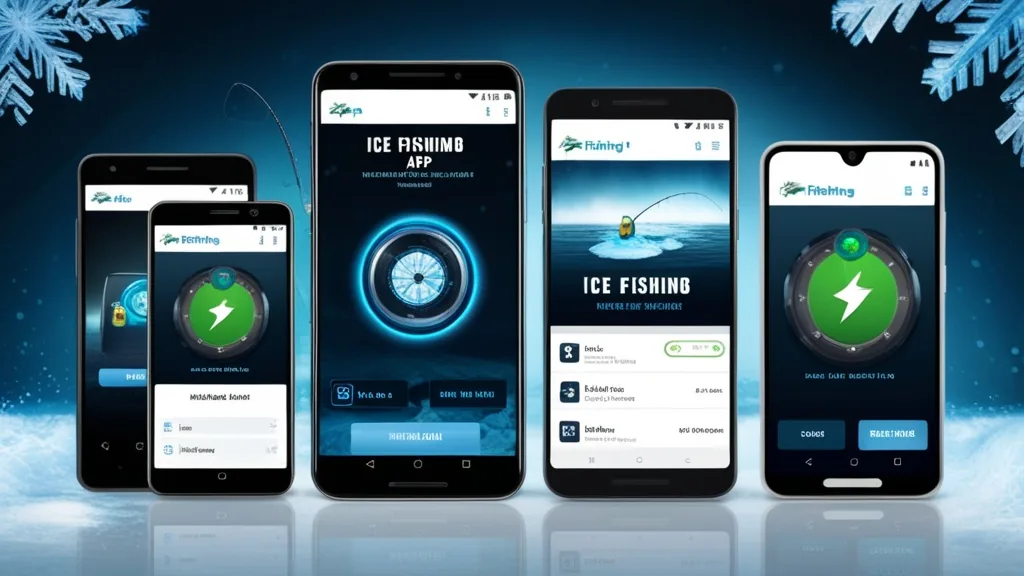
Device compatibility is where many Icefishing Game Download searches either succeed or fail, because older Android builds can behave very differently from newer ones. The good news is that most issues can be predicted before you install the file. If a page lists supported versions, storage needs, and screen orientation, that information helps you judge whether the Icefishing Game App will run smoothly. Compatibility is not just about speed; it is about whether the phone can open the app at all.
Players also use terms like Icefishing Game Apk, Ice Fishing Game App, and Icefishing Evolution Apk when they want the same mobile experience on different devices. That usually means they care about screen size, system version, and whether the package needs extra permissions. The best way to avoid frustration is to compare the file details with your phone model before downloading. A few minutes of checking can prevent a failed install later.
Which Android versions usually run the app smoothly?
Newer Android versions usually handle app permissions, graphics, and background activity more cleanly than older ones. If a Ice Fishing Game App mentions minimum system requirements, match those against your phone before you start the Ice Fishing Game Download. A device that is technically compatible may still feel slow if it is near its storage or memory limit. That is why system version is only part of the story.
If the build is packaged as Ice Fishing App Download material, look for notes about 32-bit or 64-bit support as well. Some APKs work on a wide range of phones, while others are built for newer hardware only. The more exact the compatibility note, the easier it is to avoid installation errors. Clear requirements are usually a sign that the publisher understands mobile users.
What causes installation problems on older phones?
Older phones often fail because of insufficient storage, outdated security settings, or a mismatch between the APK and the operating system. A large Icefishing Game Apk can also strain devices that are already low on memory, which leads to slow installs or app crashes. Sometimes the issue is simply that the phone cannot unpack the archive fast enough. In that case, freeing space and restarting can make a real difference.
Another common problem is an app file that expects newer graphics support than the phone can provide. If an Icefishing Evolution Apk uses updated media assets, an older device may open the app but still stutter during play. When that happens, reducing background apps and lowering screen load can help a little, but not always enough. The real fix is usually a more compatible build.
How can you check storage, permissions, and battery settings?
Before downloading, inspect how much free space remains and whether the phone is already warning about battery optimization. A smooth Ice Fishing App experience depends on more than just the file itself, because Android may limit background activity or interrupt installation when power saving is strict. Permissions should also match the app's purpose, with storage and internet access being the most common. Anything beyond that deserves a second look.
If you plan an Icefishing Game Download, clear unused files and temporarily disable aggressive battery restrictions during setup. That gives the installer room to work and reduces the chance of a silent failure. Once the Icefishing Game App is running, you can restore your normal settings and decide whether it needs special exceptions. This approach keeps the phone flexible without leaving it open all the time.